Before the feed, a question.
Meram asks what you are there to do before a distracting app opens. It opens for just that long, then asks if you did it.
 Free, with optional Meram Pro
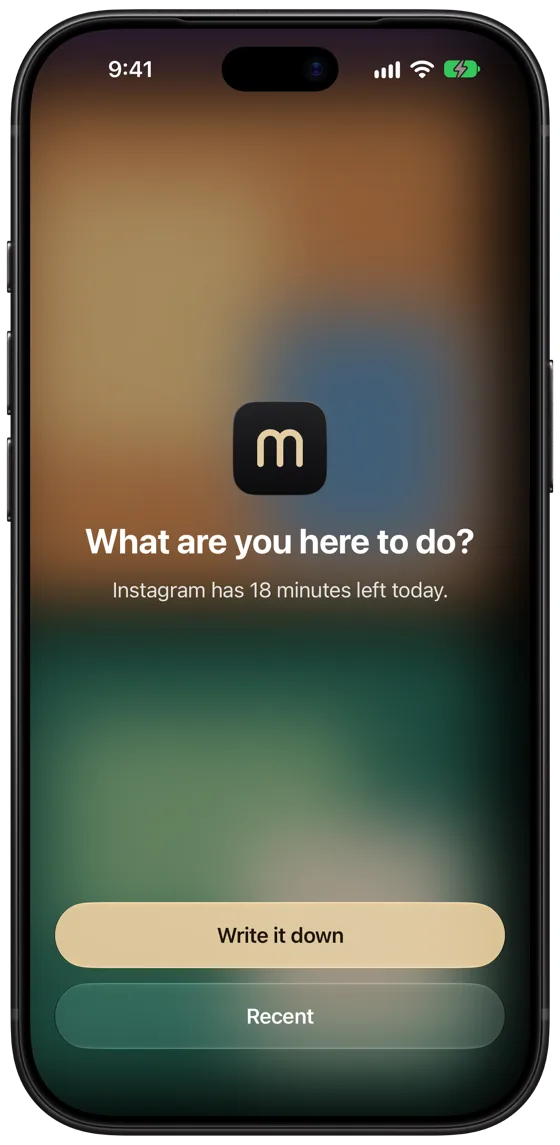
How it works.
Seal the apps that pull you in. From then on, each open takes a few words and a few seconds.
-
1
Write it down
Open a sealed app and write what you came to do, in two words or more.
-
2
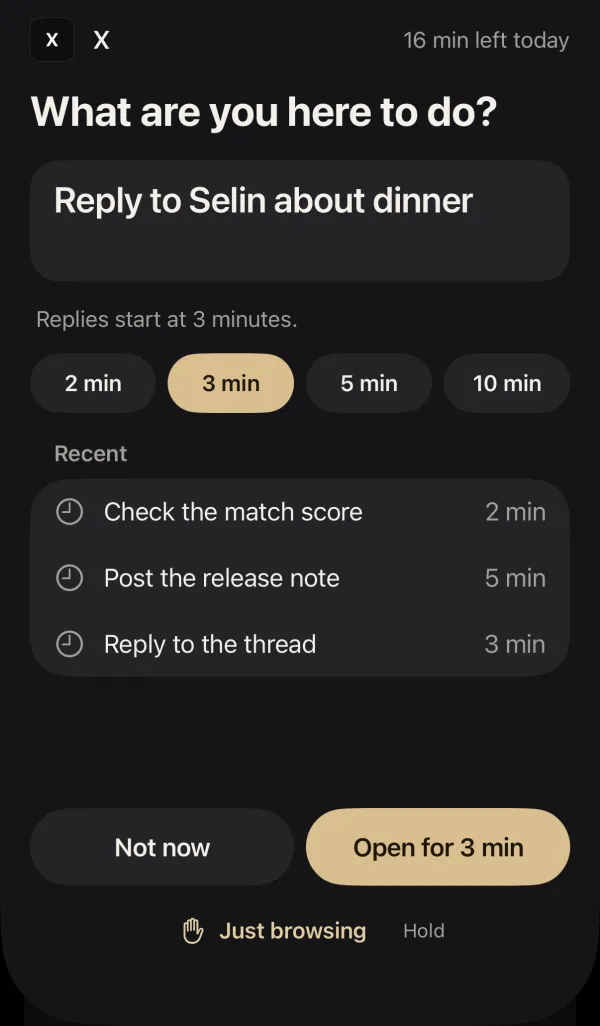
A short window
The app opens for a few minutes, sized to what you wrote. The time is the whole deal.
-
3
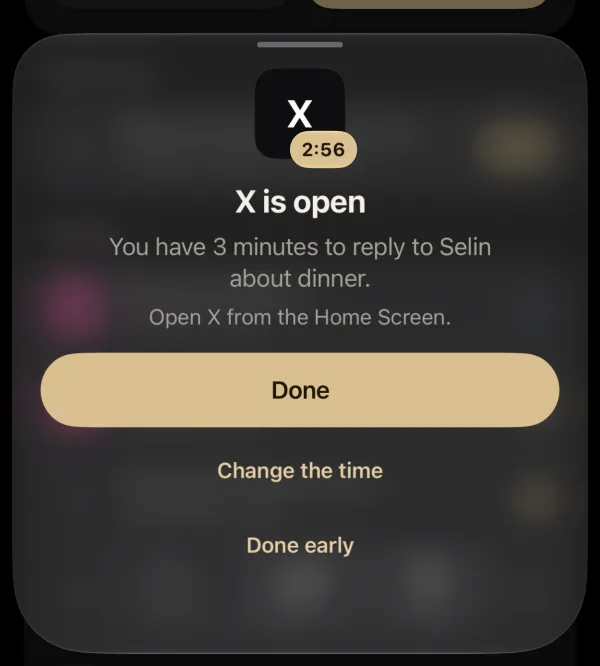
Did you do it?
When the time is up, answer Done or Got lost, right from the Lock Screen.
New in Meram 1.3
Time to work? Seal it.
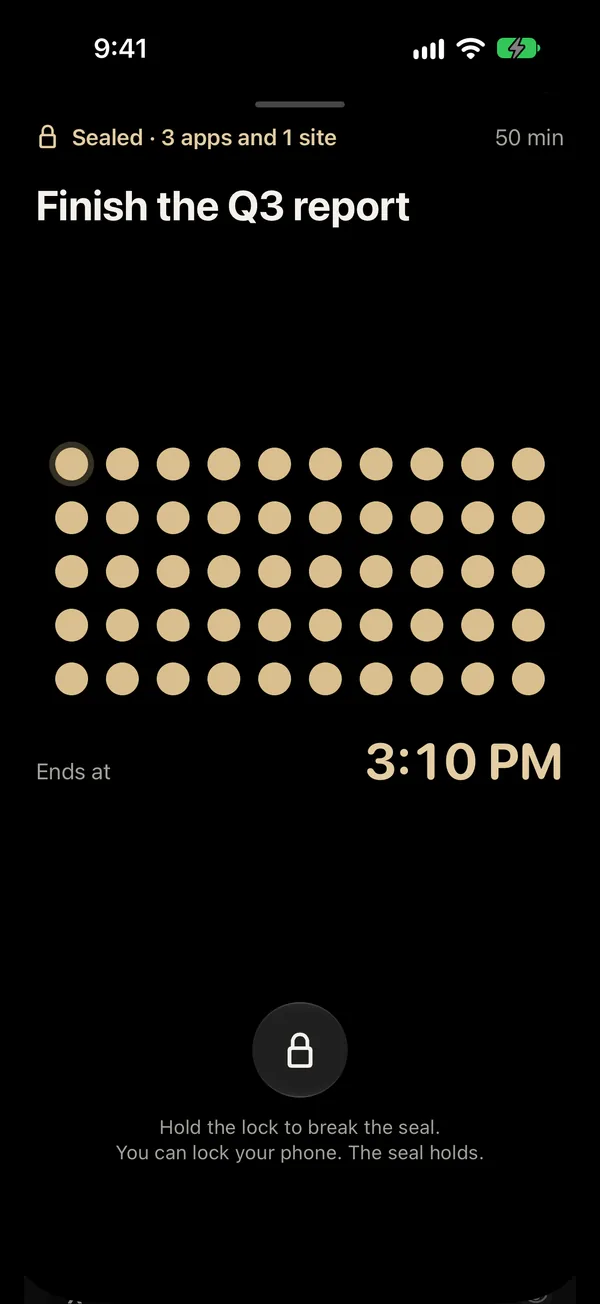
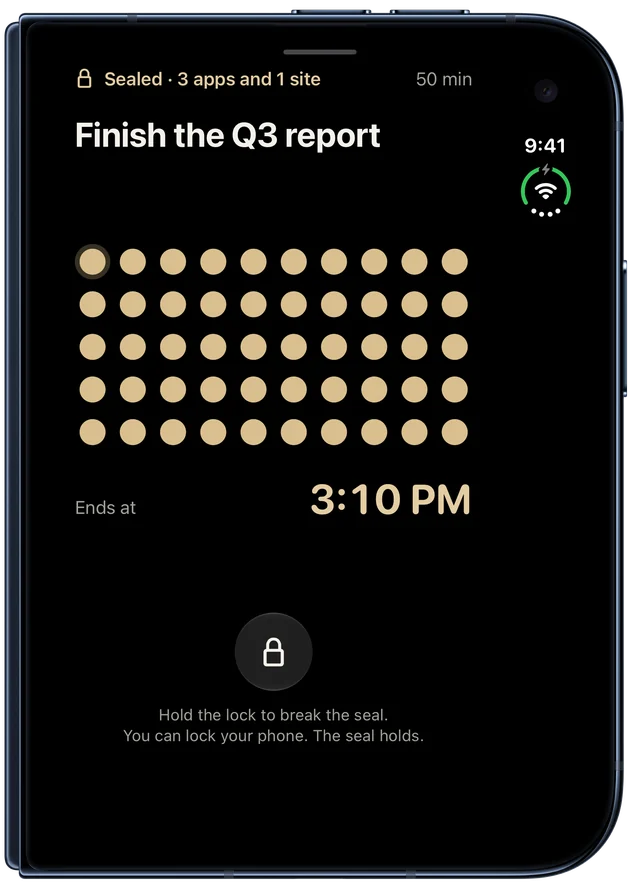
Seal your apps for a set time, such as 50 minutes or until 4:15 PM. Write what you will do, then hold to seal. Until the seal ends, a sealed app shows "Back to work" instead of the question.
- It ends on its own. To stop sooner, hold the lock for 2 seconds and break it. A broken seal does not count.
- Always in view. Follow a seal on the Lock Screen and in the Dynamic Island.
- One press away. Start a seal from the Action Button or Control Center.
Free includes one seal a day of up to 1 hour. Meram Pro adds longer seals, as many as you like, and schedules.
Also in Safari
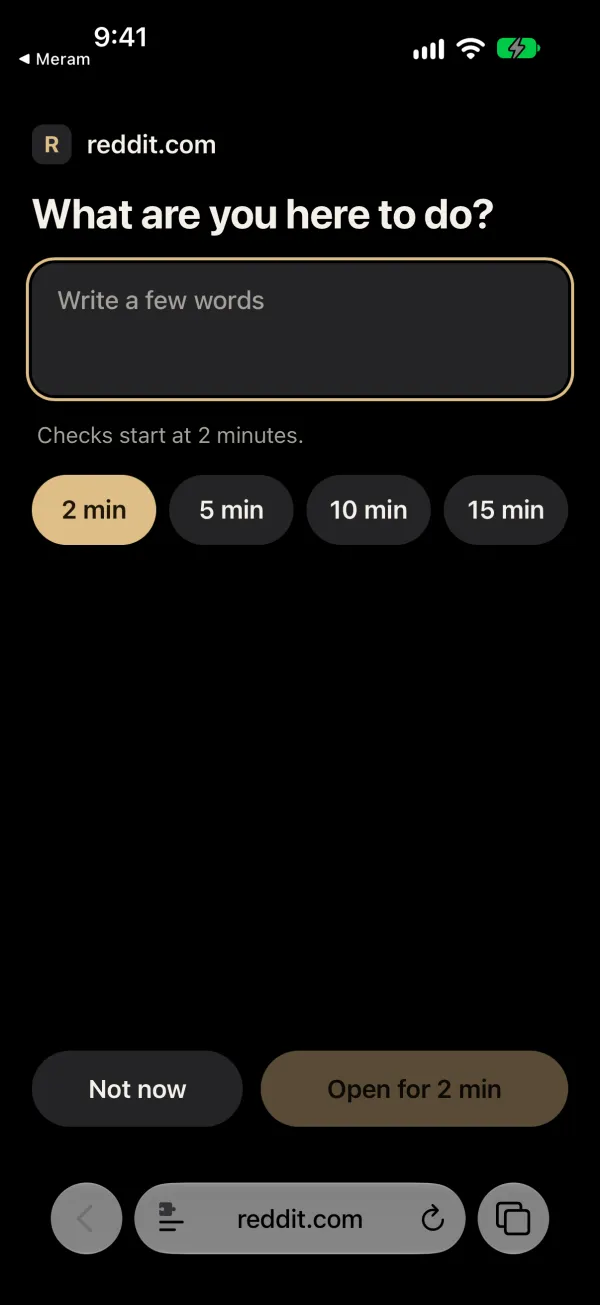
Websites too.
A sealed app is often one tap away in Safari. Seal its website, and Meram asks the same question before the page opens. Each site gets its own daily limit, 15 minutes to start.
- reddit.com
- youtube.com
- x.com
- instagram.com
- tiktok.com
- facebook.com
- Any other site
Turn on the Meram extension in Safari once. The app shows you each step.
New in Meram 1.3.1
Made for iPhone Duo.
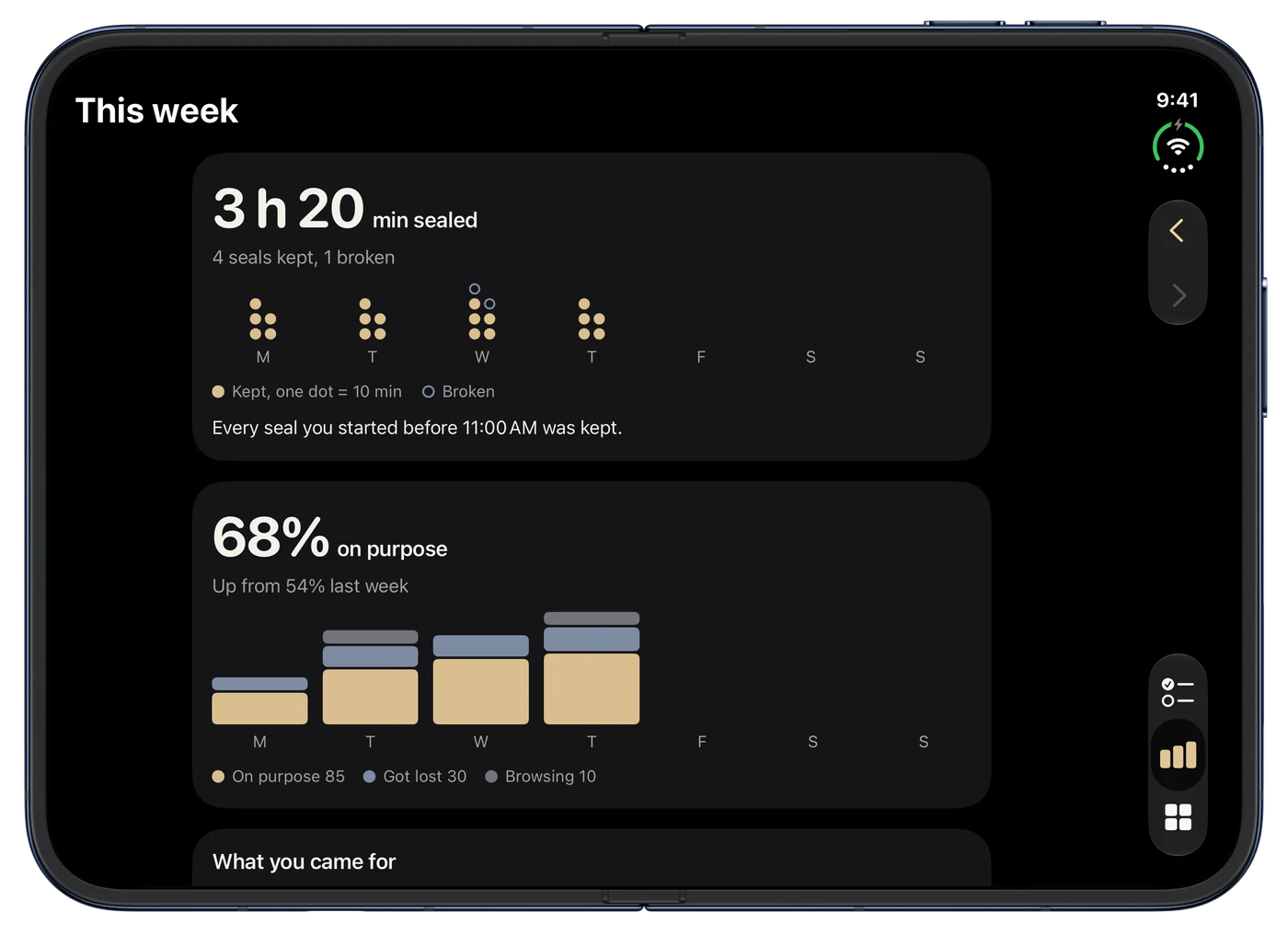
Meram fits both displays of the foldable iPhone. Fold or unfold in the middle of a seal, and the seal keeps going.
What keeps it working.
Meram stays out of the way when you keep your word, and steps in when you don't.
-
Friction that listens
After you get lost, the next open asks you to slow down. Keep your word and the pause goes away again.
-
A check-in on the Lock Screen
When the time is up, a Live Activity asks whether you did it. One tap, no app to open.
-
Limits that hold
Every app and site has its own daily minutes. Lower a limit and it applies now. Raise it and it starts tomorrow.
-
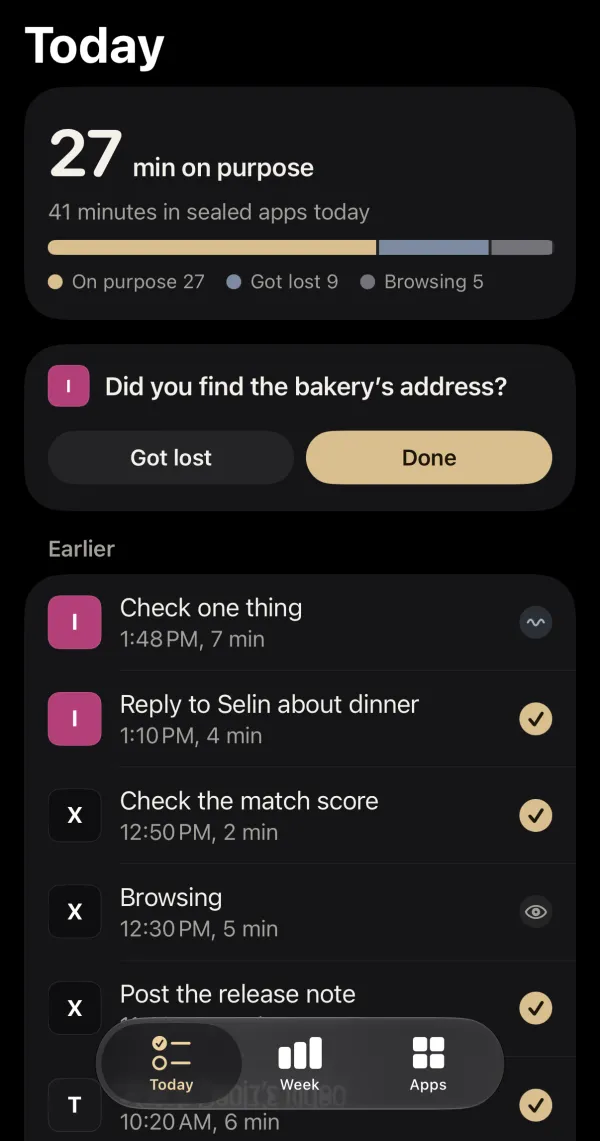
Your day, on purpose
Today shows the minutes you spent on purpose and what you came for each time. No streaks, no scores.
-
Quiet hours
Set the hours when sealed apps stay shut. During quiet hours the block screen has only Close.
-
Borrow from tomorrow
Out of minutes for something real? Turn on borrowing and take 5 minutes at a time from tomorrow, up to 10 a day.
Just between you and your iPhone.
Meram uses Apple's Screen Time, which keeps your app use private, even from Meram. Everything it stores stays on your iPhone. Read the privacy policy.
- No account.
- No server.
- No analytics.
- No ads.

Free, with an optional Meram Pro.
Meram Pro is a yearly subscription or a one-time purchase. For iPhone and iPad with iOS 26.5 or later. Questions? See support.